
Learning platform
Learn server hardening — free, in your browser, with a real Linux VM
No installation. No VM-setup hours. No expensive online courses. You click, get your own Ubuntu VM, harden it task by task — and the validator checks every step.
- GDPR-compliant
- Made in Germany
- Servers in Germany (Hetzner)
- TLS-encrypted
- No tracking without consent
How it looks
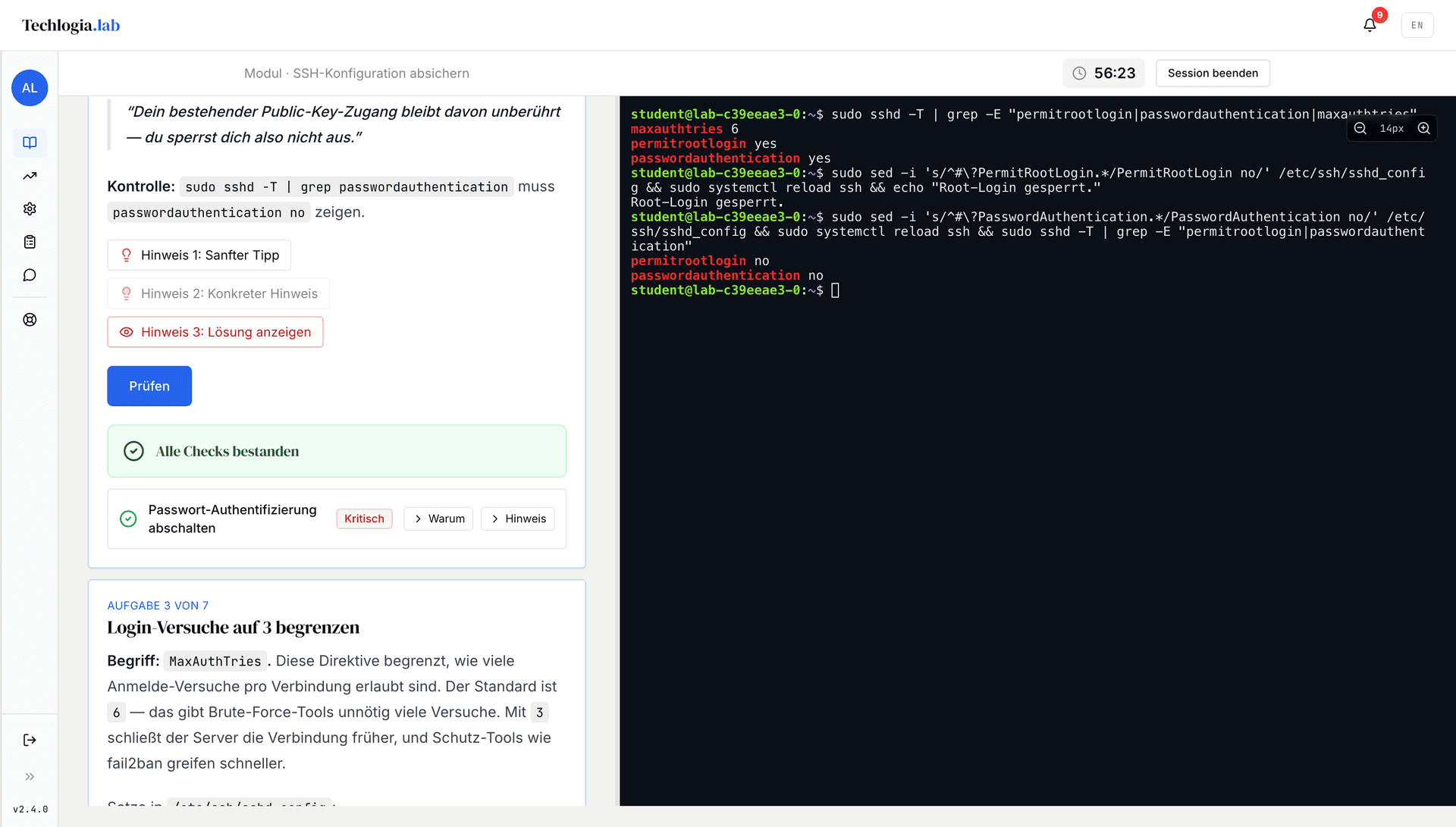
A real Linux terminal in your browser
No simulation, no fake. You SSH into a Hetzner Cloud VM and the validator checks every step.
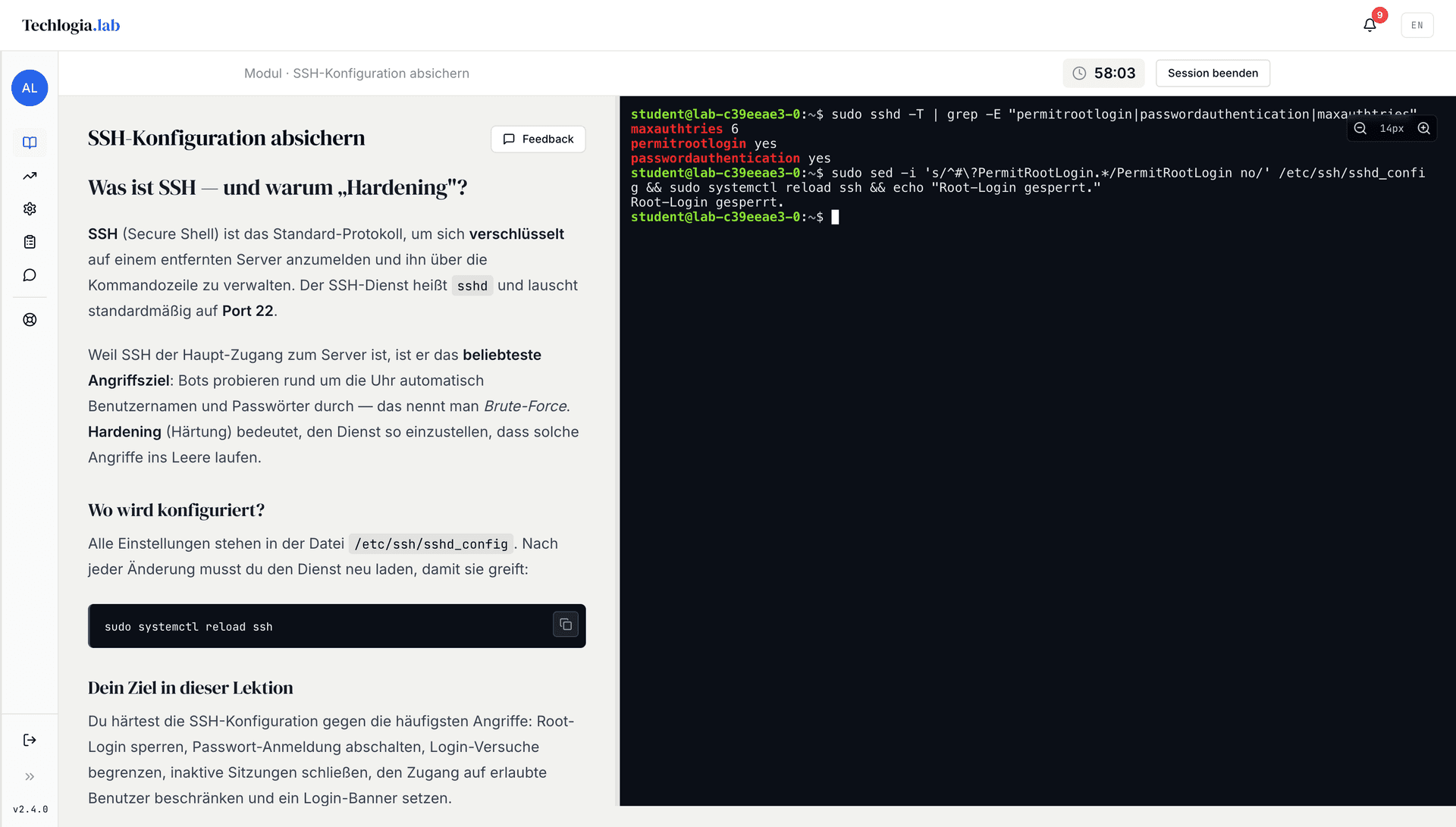
Lab catalogue
Lab modules
Each module spawns a fresh Linux VM and verifies your work automatically.
All modules
Every module, readable before you sign up
- SSH Hardening60 min · Beginner
- Hello World10 min · Beginner
- Deploy a live website with HTTPS30 min · Beginner
- UFW + fail2ban55 min · Beginner
- nginx TLS Hardening60 min · Intermediate
- Linux Users and Permissions60 min · Beginner
- Linux Console20 min · Beginner
- nginx as a reverse proxy40 min · Beginner
- HTML Basics25 min · Beginner
- Pentest Basics: SSH Brute Force45 min · Intermediate
- Linux Firewall with nftables75 min · Intermediate
- Log Analysis: spot SSH attacks in auth.log30 min · Intermediate
- Secure Docker Containers90 min · Advanced
- Docker Basics: your first container30 min · Beginner
- Incident Response with journald90 min · Advanced
- Markdown + Data Formats20 min · Beginner
- Python Basics30 min · Beginner
- Git Basics25 min · Beginner
- Web Security for Students25 min · Beginner
- SQL Basics30 min · Beginner
- Working with CSV data25 min · Beginner
How it works
Three clicks to your own VM
- 01
Sign up
Email + password + year of birth. Learners under 16 need parental consent (GDPR Art. 8).
- 02
Start a module
Click a module → a Hetzner Cloud VM is provisioned in 60–90s. You land directly in the browser terminal.
- 03
Solve tasks
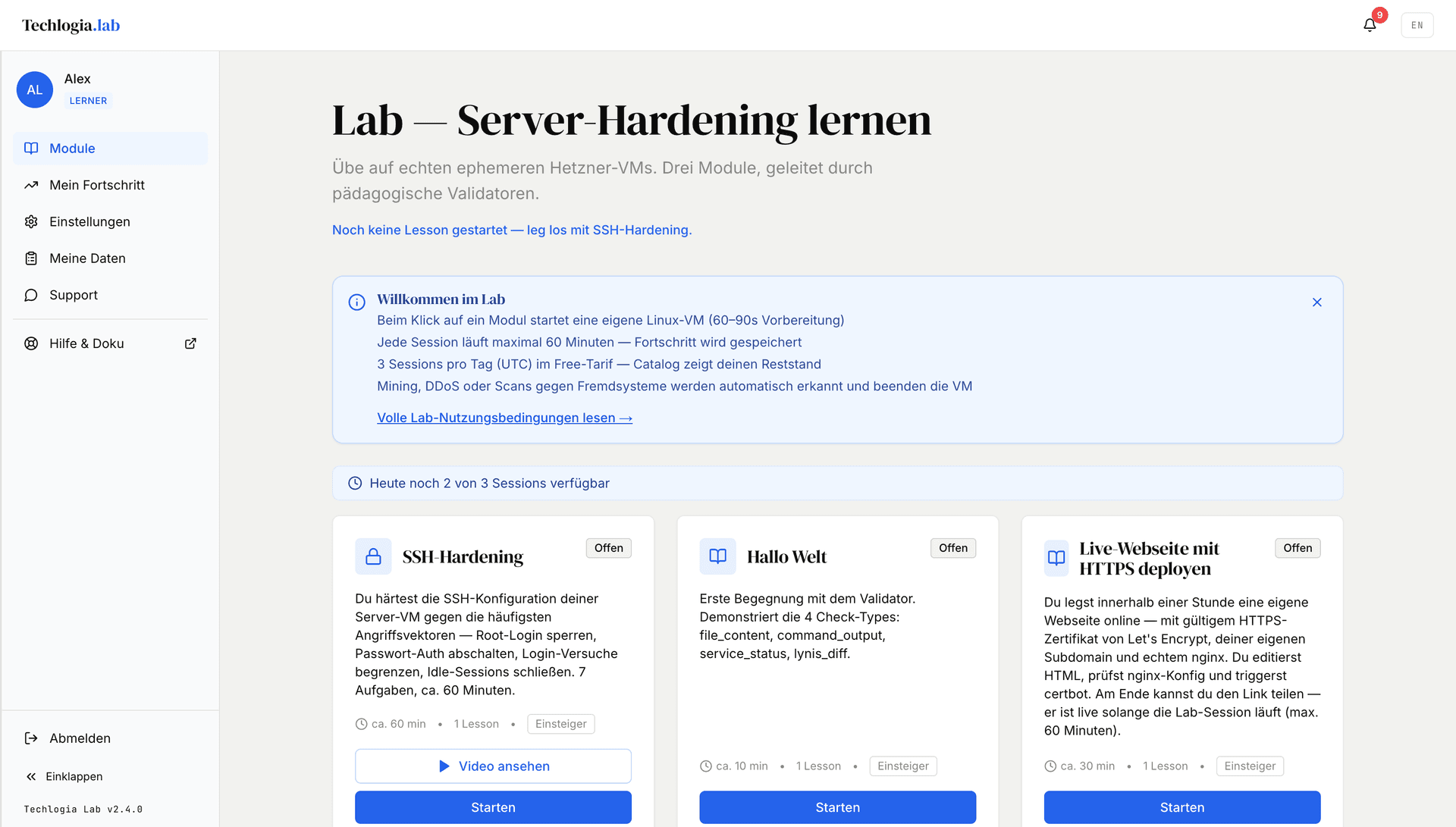
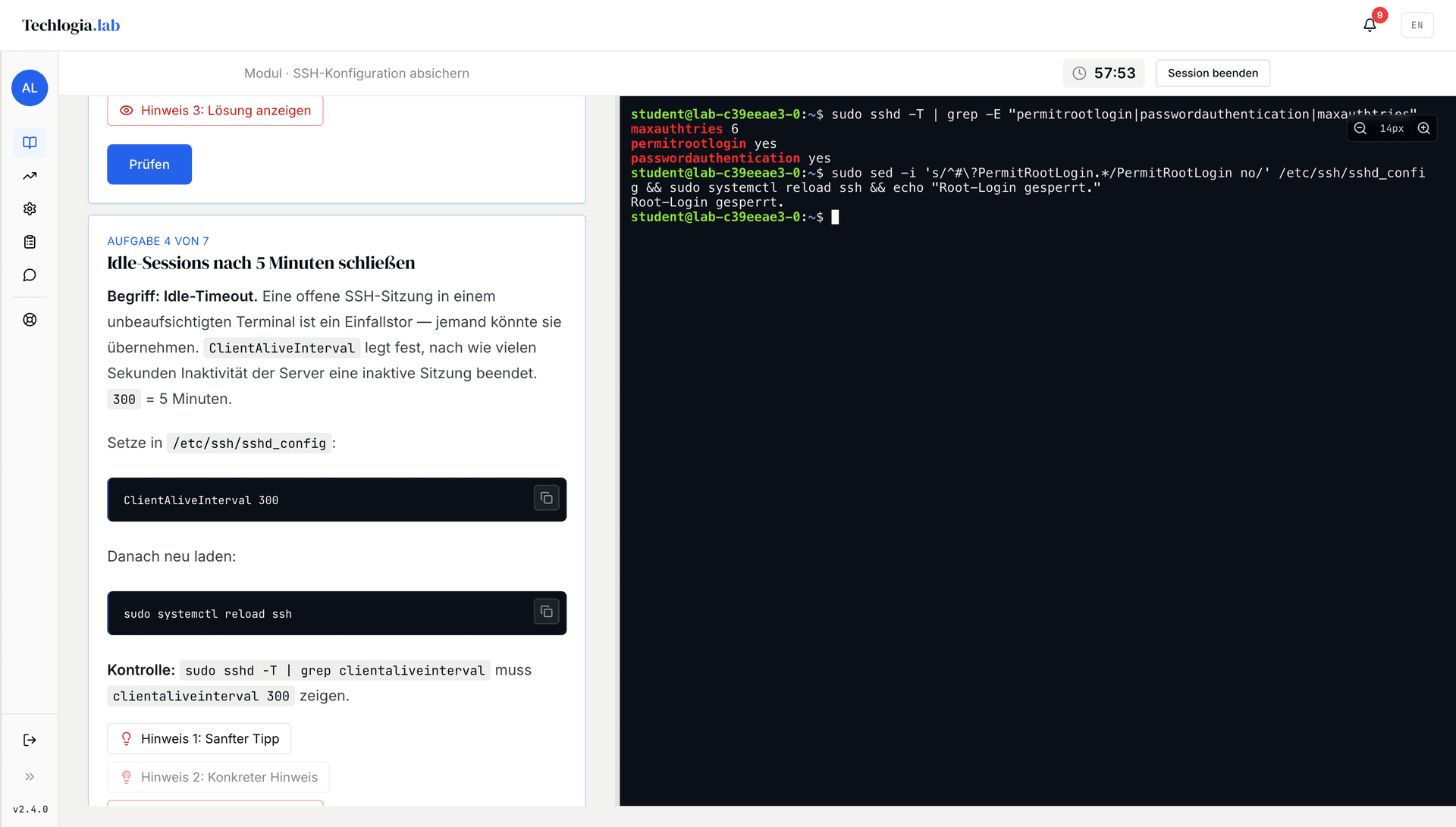
Each task has a “Check” button. The validator inspects your config state and returns instant feedback — passed, failed, or hint.
Guided, not watched
Hints when you're stuck — the solution only if you ask
Every task is checked on your own VM: the validator reads the actual state of the system, not a multiple-choice answer. Three hint levels sit in between, and the last one is the only one that gives the solution away.
Power user
Also in the terminal — the Techlogia CLI
Start lab modules, manage sessions, administer classes — straight from your terminal. Persona-aware: shows only the commands your role is actually allowed to run.
Install
Node 18+ · macOS / Linux / Windows · JWT in your OS keychain
What you can do in the terminal
- Browse modules, read lessons in Markdown, spawn and terminate VMs
- Learner, student (class code), teacher, school admin, platform admin
- Scriptable for CI / class onboarding — e.g. bulk-import 30 students
- German and English, output rendered via marked-terminal for rich reading
Techlogia CLI in the terminal: persona list, lab modules and VM start with Hetzner IP
Now on the App Store
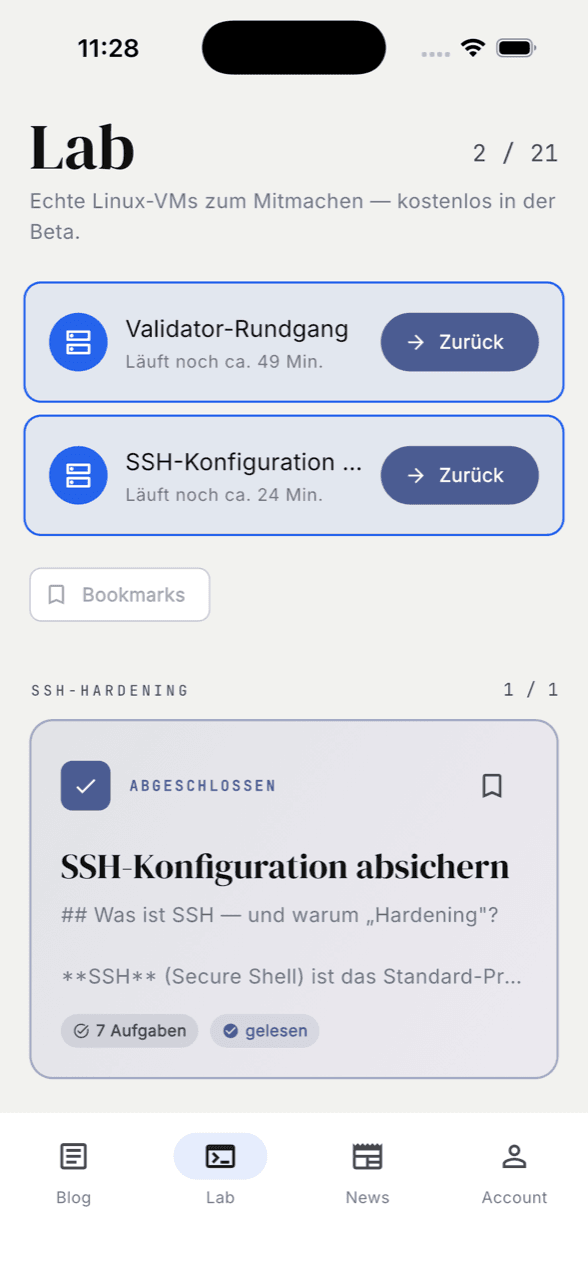
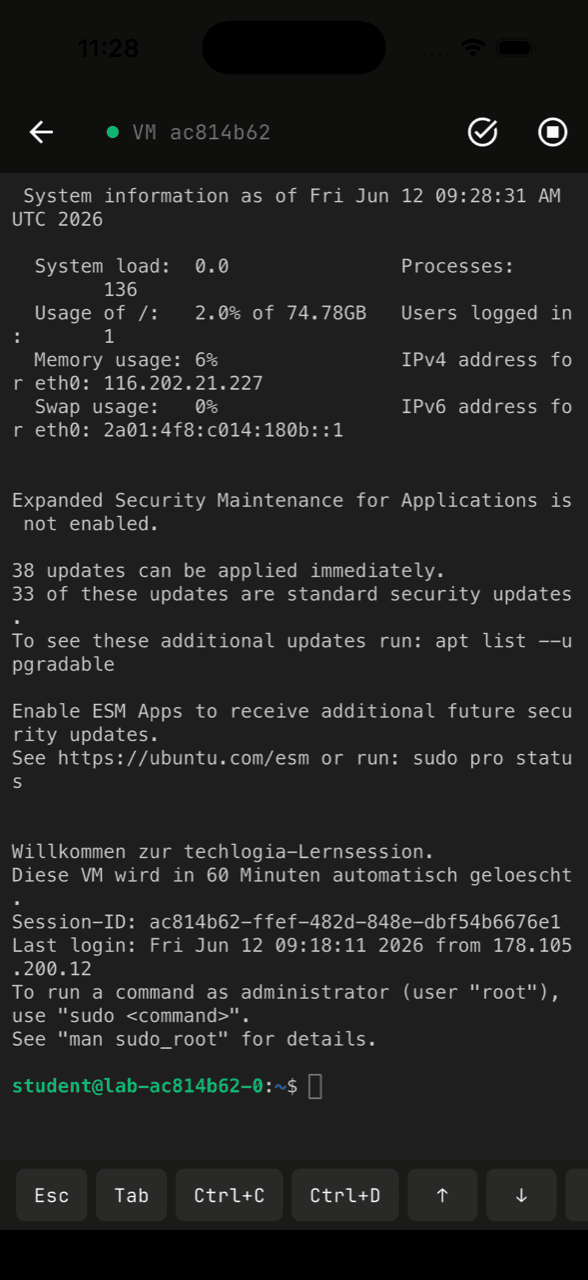
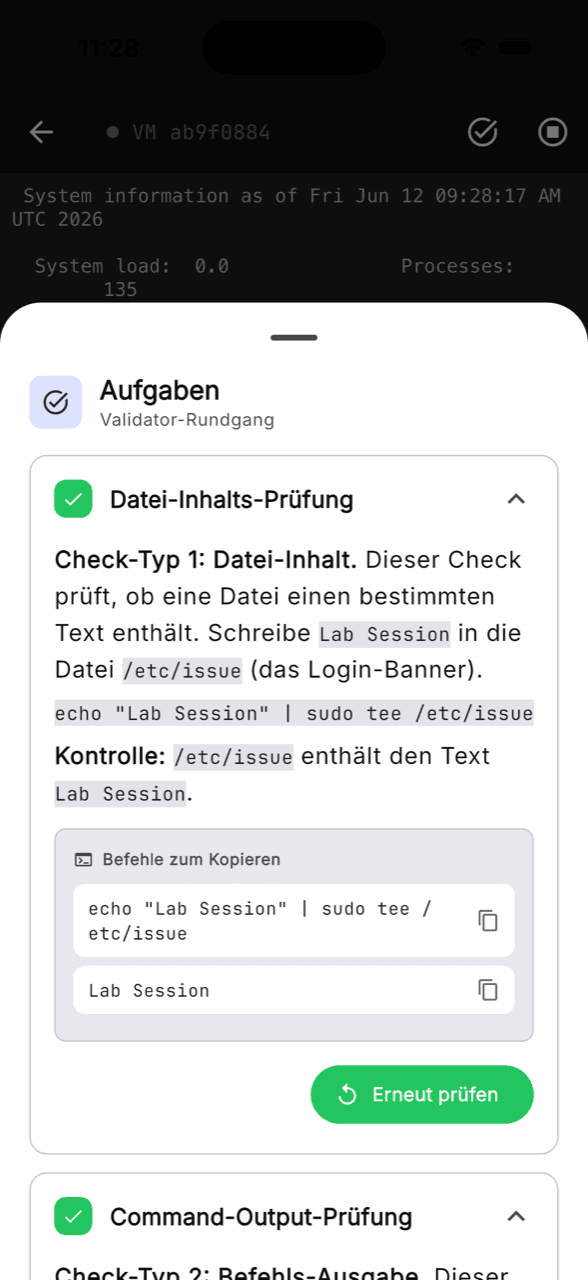
The Techlogia Lab app is here
The learning platform for your phone: launch real Linux VMs, keep working in the terminal and tick off tasks — on the go just like at your desk. Your session keeps running no matter which device you open it on.
What the app can do
- Continue your running VM on the go — same session as in the browser, with terminal keys made for your phone
- Validate tasks right in the app: a green checkmark as soon as your configuration is correct
- Read lessons, keep an eye on progress and news — with the same login as on the web
Get the app
The Techlogia Labs app is available for free on iPhone and iPad.

The Android version is in the works — once it's live you'll hear it here and via the bell in the lab. Your account works in the app right away, nothing to set up.
Safety & data protection
Built safely — GDPR-compliant, hosted in Germany
Data protection is mandatory, not a feature. Lab runs GDPR-compliant with a data-processing agreement for schools, hard sandbox boundaries and 24/7 monitoring — and collects parental consent for underage learners.
Fully isolated VMs
Each learner gets their own Hetzner Cloud VM with an external firewall. No contact between sessions, no access to the Techlogia network.
Parental consent under 16
GDPR Art. 8 / BDSG: Learners under 16 require parental consent. We email parents a separate confirmation link.
Mining + DDoS detection
CPU and bandwidth watchers run every 5 minutes — crypto mining or reflection-DDoS kills the VM automatically.
GDPR-wipe with one click
Delete your account from the profile — all sessions, logs and learning progress are removed instantly (GDPR Art. 17).
Pricing
Free. Period.
No credit card. No trial trick. No newsletter requirement. The free tier is enough for serious learning.
- 3 sessions per day (UTC reset)
- 60 minutes per session
- All 21 modules — more added continuously
- No credit card
- No tracking, no advertising pixel
- Task engine is open-source
On TikTok
Cybersecurity content, bite-sized
Server hardening, Linux security and DevOps — explained in under 60 seconds.
For schools
Bring the lab to your classroom
Teachers get classes, students log in with a class code — no email setup, no passwords. GDPR-compliant under a DPA agreement with your school.
01
School onboarding
Sign the DPA, get a school admin account. Add teachers from there.
02
Class code
Teacher creates a class, gets a code like KLAS-7H3KX9P, hands it out.
03
Students log in
Code plus their login name. Teacher sees progress per student.
Listed & recommended

Listed on the German Education Server
The techlogia Lab is listed as a free educational resource (OER, CC-BY) on the Deutscher Bildungsserver — the central education portal of the German federal and state governments (DIPF).
View entryFrequently asked
What learners and teachers ask most
What does the Techlogia Lab cost?
Nothing. The free tier covers three sessions a day, 60 minutes each, on your own Linux VM — no credit card, no trial that quietly turns into a subscription, no mandatory newsletter.
Do I need my own virtual machine or extra software?
No. A browser is enough. When you start a lesson, your own Ubuntu 24.04 VM is provisioned in the Hetzner Cloud and the terminal runs right in the browser window. Nothing to install, nothing to configure.
Is this a simulation or a real server?
A real server. The terminal in your browser is a genuine SSH session on a machine of your own. After each task the validator inspects the actual state of the system — it reads the effective sshd configuration, for instance, instead of comparing a clicked answer against a model solution.
Which topics can I learn in the Lab?
Linux fundamentals, file permissions, SSH hardening, the ufw firewall, fail2ban, nginx and TLS, Docker hardening and Bash scripting. Every module can be read in full beforehand, without an account.
Do I need prior knowledge?
No. Modules are graded by level and start at the beginner tier. If you get stuck, hints come in three stages — only the last one gives the solution away; the earlier ones just nudge your next thought.
Can I use the Lab in class?
Yes. Teachers create classes and hand out a class code; students sign in with that code and a login name, with no email address and no password management of their own. Operation runs under a data processing agreement with the school, and Eduplaces SSO is available as an alternative sign-in.
Where is the data processed?
Exclusively in Germany, on servers operated by Hetzner Online GmbH — no transfer to third countries. Every learning VM is isolated behind its own firewall and has no access to the Techlogia network. Learners under 16 require parental consent under Art. 8 GDPR. The account can be deleted at any time from the profile; sessions, logs and progress are removed immediately (Art. 17 GDPR).
Ready?
One VM, three modules, no setup. All you need is a browser.