The Techlogia Lab App (preview)
Coming soon
The app is in development and launches soon, free for iOS and Android. As soon as it's live we'll announce it in the changelog and via the bell in the lab.
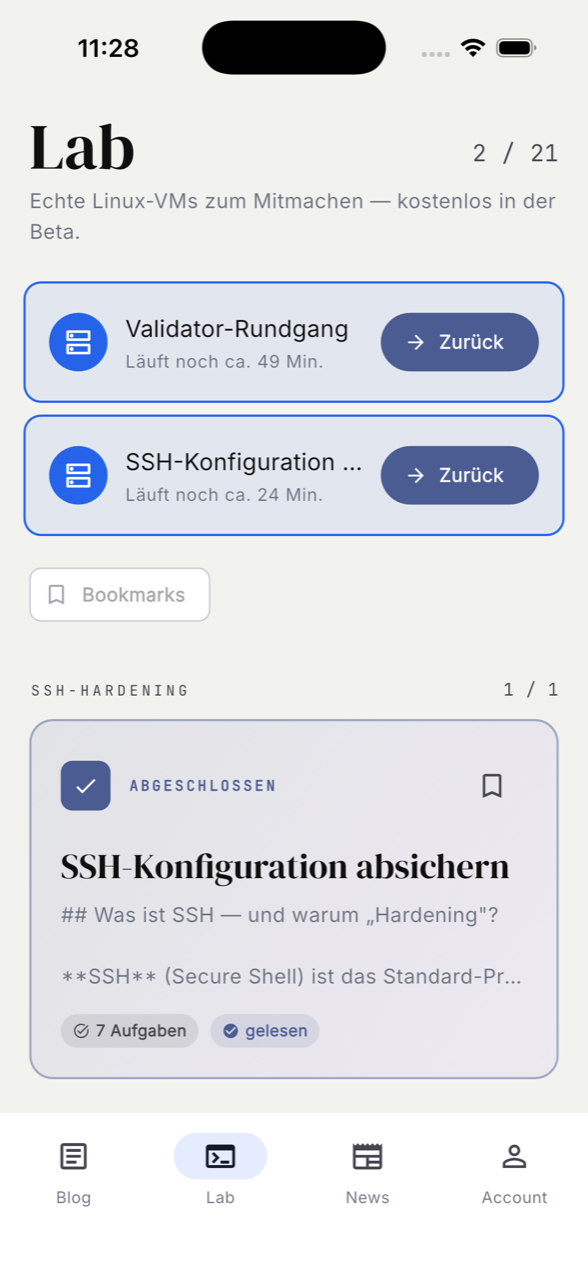
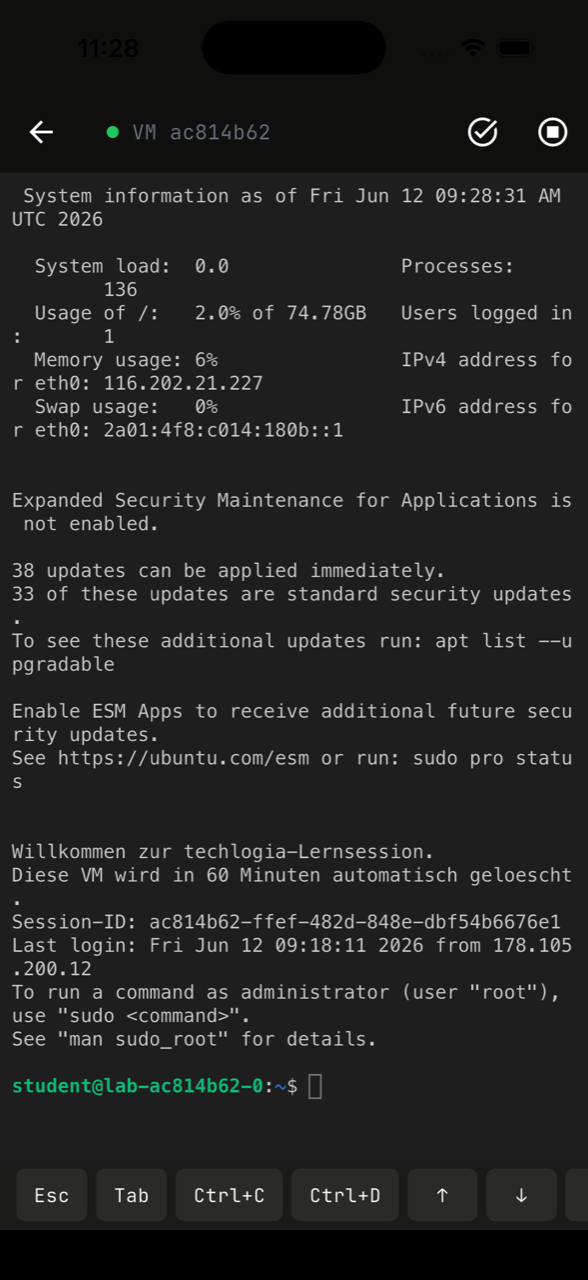
With the Techlogia Lab app you take the learning platform with you: your VM session keeps running on our servers — start it at your desk and continue on the go in the app, or the other way around.
What the app can do
- Continue running Linux VMs — the same session as in the browser, with a terminal key bar made for your phone (Esc, Tab, Ctrl+C, arrow keys).
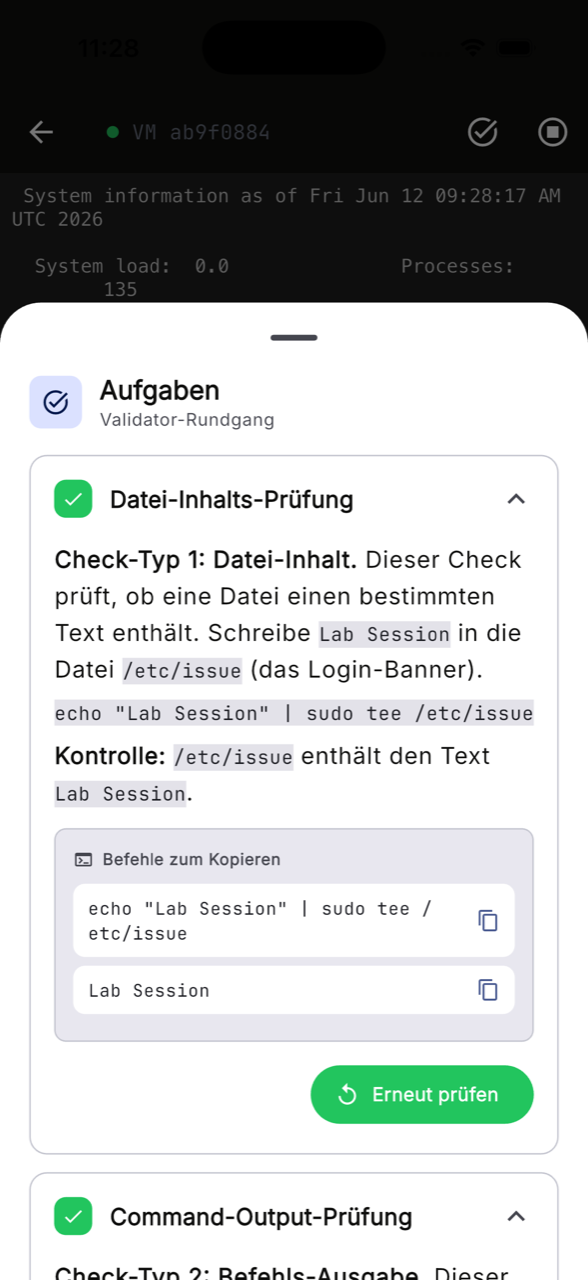
- Validate tasks right in the app — a green checkmark as soon as your configuration is correct, including copyable commands.
- Read lessons & track progress — modules, bookmarks and news, with the same login as on the web.
What it looks like
Frequently asked questions
Do I need a new account? No. Your existing account (email, Google, EduPlaces or class code) works in the app right away.
Does the app cost anything? No, the app itself is free. The same plans as on the web apply.
What about school classes? Students sign in as usual with class code and login name — progress and module approvals are identical to the web.
When exactly does it launch? We'll announce the release in the changelog, via the bell in the lab and on the lab landing page.