Progress & Homework
Your account area at techlogia.de/lab/account holds all analytics for your learning progress – plus the homework your teacher assigned.
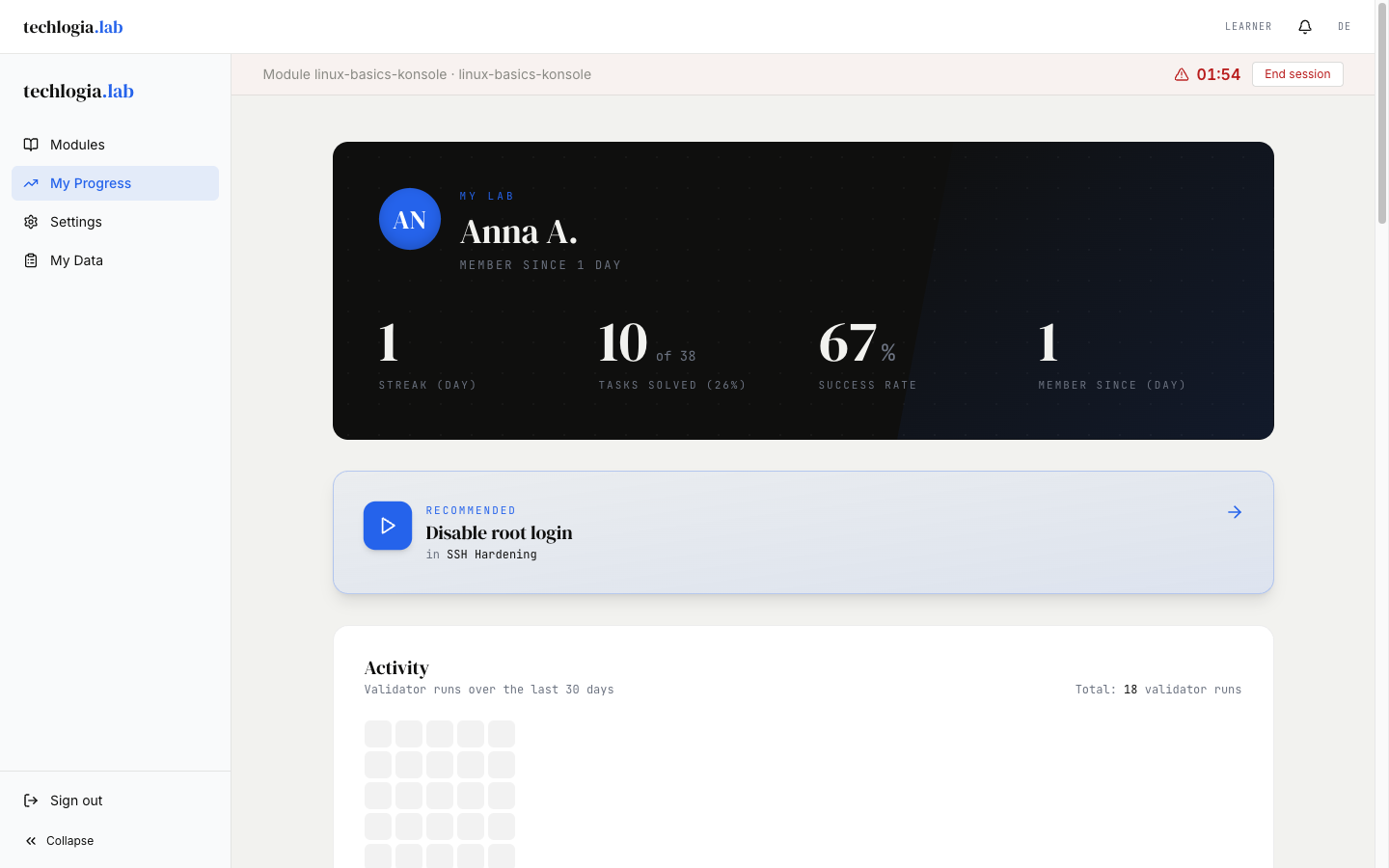
Stats overview
At the top of the account area you see your key numbers:
| Number | Meaning |
|---|---|
| Tasks passed | How many tasks you solved total |
| Sessions started | How many VM sessions you used total |
| Success rate | Share of passed validations across all attempts |
| Streak (days) | How many days in a row you were active |
The numbers update as soon as a validation completes – no reload needed.
Progress per module
Below the overview you see a table of all modules you worked on:
- Module name and difficulty
- Progress bar (e.g. 4 of 7 tasks passed)
- Status – "In progress", "Completed", "Not started"
Click a module row to open it in the catalog.
Activity heatmap (30 days)
Similar to GitHub, you see a heatmap of the last 30 days. Each day is a small square:
- Lighter = few validations
- Darker = many validations
At a glance you see on which days you were particularly active.
Achievements
The Lab automatically grants achievements for special milestones. Currently six badges, for example:
- First step – first task passed
- Ten-pack – 10 tasks passed
- Marathon – 5-day streak
- Completer – first module fully completed
Achievements are purely motivational – they don't affect quota or permissions.
Recent activity
A timeline shows the last 10 validations:
- ✓ passed / ✗ not passed
- Which task
- When (relative time: "5 minutes ago", "yesterday at 14:32")
So you see where you stopped and can continue there.
"Up next" – recommendation
Above the timeline is a recommendation card: the Lab suggests where to continue. The recommendation is based on:
- open tasks in modules you started
- active homework (if any)
- difficulty trajectory (matches your pace so far)
A click on "Start now" jumps you to the lesson.
Homework
If you're in a class, your teacher can assign homework. You see it in several places:
In the catalog
A banner appears above the module cards for each open assignment:
📚 Homework: Web server with TLS Due by June 5 2026, 23:59 [Open lesson →]
In the account area
Under "Homework" you see a list with:
- Title of the homework
- Deadline (date + time)
- Optional description by the teacher
- Status – "Open", "In progress", "Completed"
What happens after the deadline?
When the deadline has passed, the homework disappears from your list. The teacher still sees it (for analysis). You can still work on the lesson via the catalog – it just no longer counts as "homework".
Tasks within homework
A homework is a whole lesson. Only when all tasks of that lesson are passed does the homework count as completed.
Sessions overview
If you want to know how many sessions you can start today:
- The catalog shows your remaining quota on top (e.g. "2 of 3 sessions free today")
- The account area lists your recent sessions (module, date, duration, end reason)
The default limit is 3 sessions per day (UTC reset at midnight). Teachers can set a higher value for their class (4 to 10).
FAQ about progress
"My progress disappeared"
Very rare. If tasks you passed are open again:
- Check that you're logged into the same account (email top-right under "Account").
- If you suspect a bug, report via the feedback button or directly to info@techlogia.de.
"A task is 'In progress' even though I didn't do anything"
"In progress" means: you worked on this lesson at least once in a session, but the task is not passed yet. Once you pass it, the status switches to "Passed".
"Are my stats shared with others?"
- If you're in a class: Your teacher sees aggregate values (which tasks you passed, when last active).
- If you learn on your own (no class membership): Nobody but you sees your stats.
There is no public leaderboard.
Next step
- Account & privacy – how to secure your account and manage your data.